What is RBAC? Why is it so important and how to implement it?
Kubernetes is known for managing, scaling, and maintaining containerized workload, but its steep learning curve presents significant challenges. Moreover, implementing an additional layer of security through RBAC to restrict users’ access to resources within the k8s cluster, adds up another level of complexity.
In this blog post, I will demystify the RBAC (Role-Based Access Control) mechanism in Kubernetes, highlighting its use cases, and importance, and providing a practical guide using the following scenario.
Scenario:
How can a Pod running inside the k8s cluster create and/or delete other k8s (pods, deployments, and jobs) resources?
This blog post covers the following:
What is RBAC in k8s?
User vs Service account
Role vs RoleBinding — ClusterRole vs ClusterRoleBinding
RBAC DEMO
Best practices
What is RBAC?
RBAC stands for Role Based Access Control, which simply means:
who can access what, in K8S cluster.
“As the number of cluster nodes, applications, and team members increase, you’ll want to limit the resources your team members and applications can access, as well as the actions they can take.”
Hence RBAC is a mechanism (security enforcement layer) that restricts users/applications to create, delete, and update resources (pods, namespaces, secretes, persistence storage, etc.) within K8S clusters. It allows cluster administrators to enforce fine-grained control over resources within a cluster. For example:
Secure cluster by granting privileged operations (accessing secrets, deleting namespaces, for example) only to admin users.
Force user authentication in your cluster.
Limit resource creation (such as pods, persistent volumes, and deployments) to specific namespaces.
Have a user only see resources in their authorized namespace. This allows you to implement the multi-tenant-based architecture.
Umm, that seems promising, to some extent, but how exactly that can be done? Before I could jump right into implementation, let me first define some of the Jorgans, related to RBAC.
User vs Service account
A User refers to a human being. However,
It’s important to note that Kubernetes does not manage user accounts natively, meaning you cannot create or delete users using commands like kubectl create/delete user.
Instead, user accounts are managed outside of Kubernetes clusters and are synced with corporate databases such as AWS IAM/Azure AD or Active Directory or LDAP.
On the other hand, a “Service account” is a type of Kubernetes resource that is created and managed using the Kubernetes API. They are intended to be used by entities within a Kubernetes cluster, such as Pods, to authenticate with the Kubernetes API server or external services. Some of the service account use cases are:
Think about CI/CD access to the cluster
Pod-to-pod communication
Pods to Kubernetes API authentication
The following table depicts the differences between both of them:
Role vs ClusterRole
Think of Role as a policy document, that enlists actions allowed on resources. Role or ClusterRole are K8S resources that contain rules that represent a set of permissions. Permissions are purely additive (there are no “deny” rules).
Roles grant access to resources within a single namespace while ClusterRoles are cluster-wide / cluster scoped.
RoleBinding and ClusterRoleBinding
RoleBinding or ClusterRoleBinding binds role to subject. The following are three types of subjects:
Users
Groups
Service accounts
Exhibiting the Scenario
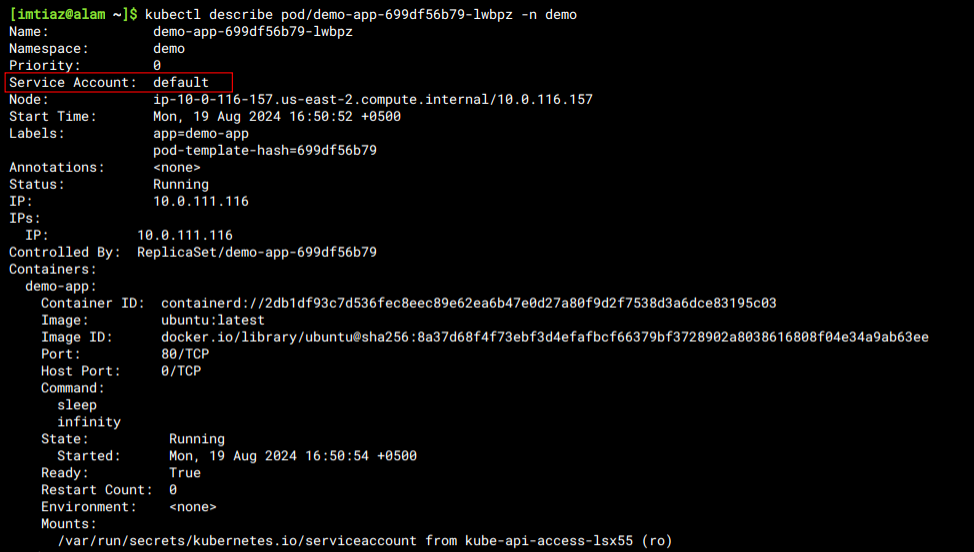
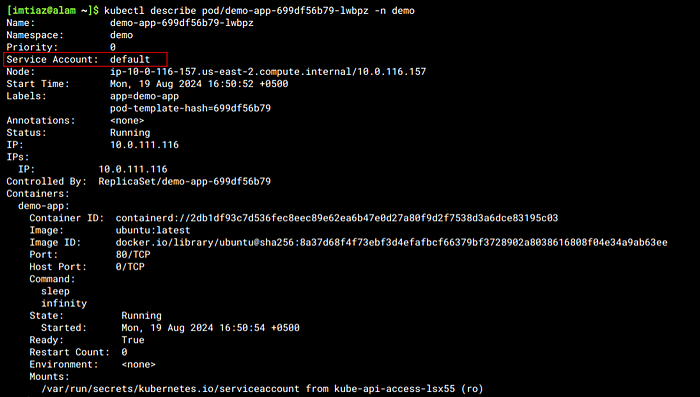
In some scenarios where we have to deploy k8s objects from running pods, e.g a pod creates another deployment, service, or job. This isn’t allowed by default as k8s pods can’t interact with k8s API service directly using a default service account, as shown below:
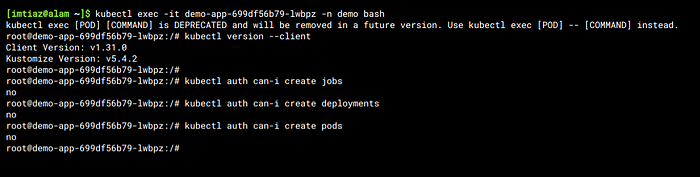
As shown below, the demo-app pod isn’t allowed to create deployments, pods & job objects from within itself.
Kubectl offers “kubectl auth can-i” command to check if the pod is eligible to create k8s resources or not.
Umm... Let’s use the K8S RBAC mechanism to allow pod access to the k8s API, and create the Objects. For this purpose, we’ll be creating the following:
Service-Account used by the demo-pod to elevate its access.
Role that enlists the required permissions
Role-bindings that bind the role to the subject(service account).
1. Service account
Let’s first create a service account in the demo namespace that will be used by the demo-app deployment to launch other objects:
apiVersion: v1
kind: ServiceAccount
metadata:
  name: demo-sa
  namespace: demo
2. Role
This Role grants unrestricted access (‘*’) to manage deployments, pods, and jobs within the ‘demo’ namespace in Kubernetes.
apiVersion: rbac.authorization.k8s.io/v1
kind: Role
metadata:
  name: demo-role
  namespace: demo
rules:
  - verbs:
      - '*'
    apiGroups:
      - ''
      - apps
      - batch
    resources:
      - deployments
      - pods
      - jobs
3. Rolebinding
This RoleBinding “demo-role-binding” associates the “demo-sa” service account in the “demo” namespace with the Role named “demo-role”. It allows the ServiceAccount to inherit the permissions defined in the Role for resource access control within the demo namespace.
apiVersion: rbac.authorization.k8s.io/v1
kind: RoleBinding
metadata:
  name: demo-role-binding
  namespace: demo
subjects:
  - kind: ServiceAccount
    name: demo-sa
    namespace: demo
roleRef:
  apiGroup: rbac.authorization.k8s.io
  kind: Role
  name: demo-role
4. Deployment
Update the “demo-app” deployment using “demo-sa” specified by the following tag: serviceAccount: demo-sa
apiVersion: apps/v1
kind: Deployment
metadata:
  name: demo-app
  namespace: demo
  labels:
    app: demo-app
spec:
  replicas: 1
  selector:
    matchLabels:
      app: demo-app
  template:
    metadata:
      labels:
        app: demo-app
    spec:
      containers:
        - name: demo-app
          image: busybox:latest
          ports:
            - name: http
              containerPort: 80
              protocol: TCP
      serviceAccountName: demo-sa
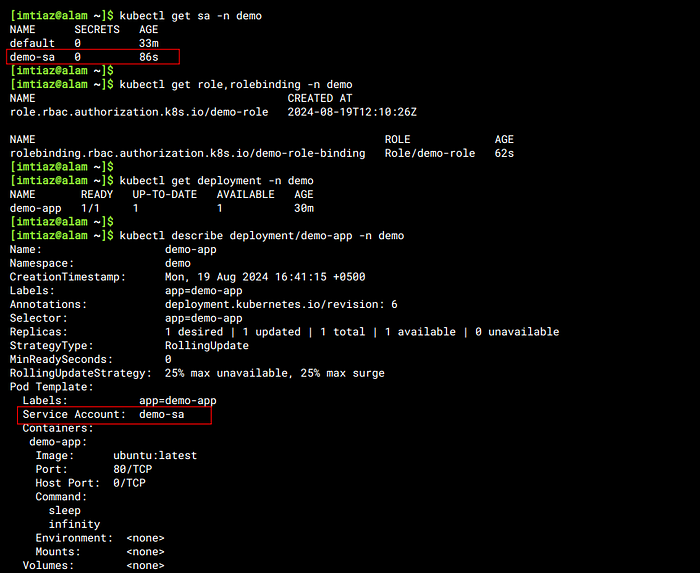
Let’s verify the created resources by kubectl get command, as shown below:
Verification of the Permissions
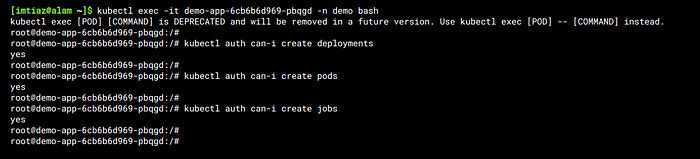
Finally, let’s verify if demo-app pod can create pods/deployments/jobs. For this purpose, let’s issue the following commands by ssh-ing into the pod.
kubectl exec -it demo-app-699df56b79-lwbpz -n demo bash
---
kubectl auth can-i create deployments
kubectl auth can-i create pods
kubectl auth can-i create jobs
There you go 🎉 .. You’re able to create K8s objects (i.e. those only allowed in the Role) from the demo-app pod.
Best practices around RBAC
There are a few best practices that I want to share with you. Follow them while using RBAC
Making the Most of Kubernetes RBAC
Follow the principle of Least Privileges
Avoid Default Service Accounts
Minimize API Server Flags
Update RBAC Policies Continuously
— -
Congrats, you’ve made it to the end. I would like to hear your opinions about this solution. Feel free to ask questions or give suggestions about this post.
Happy learning :)!