Generative AI in UI Testing: How QA Engineers Can Leverage AI for Better Efficiency

Apr 17, 2025
5 min read
Imagine running hundreds of UI tests in minutes, catching visual bugs before they reach production, and reducing manual effort significantly. Sounds like a dream, right? With Generative AI (GenAI), this dream is fast becoming a reality for QA engineers.
According to a recent study by TestSigma, GenAI can boost productivity in software testing by 30–40%, leading to significant cost savings for organizations.[1] According to Campgemini’s research report, 49% of respondents reported improved software quality with GenAI’s capabilities.[2]
With companies increasingly adopting AI, testers must understand how GenAI can revolutionize UI testing. Furthermore, before we discuss how we can use GenAI in UI testing, let's dissect what UI testing and GenAI are.
UI Testing
UI testing evaluates an application’s visual and interactive elements to ensure they function correctly and deliver a seamless user experience. It involves verifying that buttons, menus, icons, and other interactive components respond appropriately to user actions. We will see later in the article how Gen AI jams with it to make it less hectic.
GenAI
Generative Artificial Intelligence (GenAI) refers to AI systems capable of creating new content — such as text, images, or even test scenarios — by learning from existing data. These models analyze patterns and structures within their training data to produce new, similar content based on user prompts.
Understanding Generative AI in UI Testing
Now that we know the terms, let's understand how to jam both. When applied to UI testing, GenAI can automate and enhance various testing processes, including
Visual Regression Testing
Traditional visual regression testing requires comparing UI snapshots manually or using baseline images. AI-powered tools like Applitools and Percy use deep learning to automatically detect UI discrepancies, making visual validation faster and more accurate. AI-powered tools can compare thousands of UI elements, highlighting visual bugs in seconds.
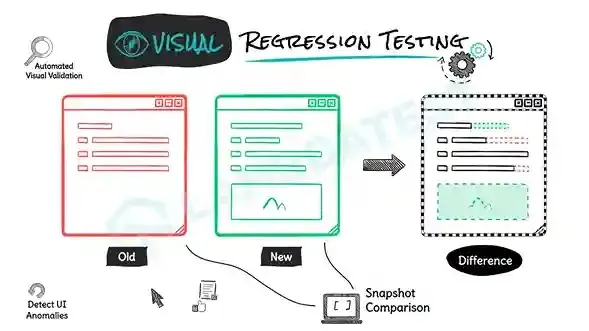
Visual Regression Testing [3]
Automated Test Case Generation
Writing comprehensive UI test cases manually can be time-consuming. GenAI can analyze application context, user behaviour and past defects to suggest or auto-generate test cases, ensuring better test coverage.
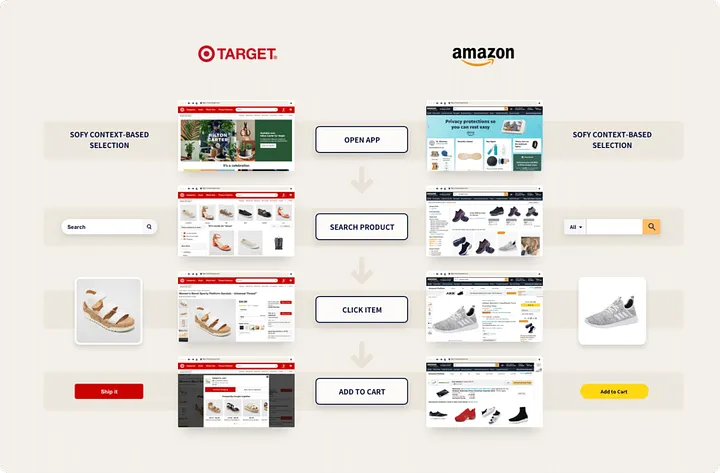
Automated Test Case Generation [4]
Self-Healing Test Scripts
One of the biggest challenges in UI testing is maintaining flaky test scripts due to frequent UI changes. GenAI-powered test automation tools like Testim and Sofy can dynamically adjust locators when UI elements change, reducing test failures.
🛠 Example: An automation engineer running WebdriverIO tests notices frequent UI updates break test scripts. After running scripts, one will check the report to review all the test cases affected by the selector changes. It will consume a lot of time, and repeating this exercise will frustrate the engineer. By integrating AI-powered tools with self-healing capability, test scripts adapt to UI changes automatically, cutting maintenance time effectively.
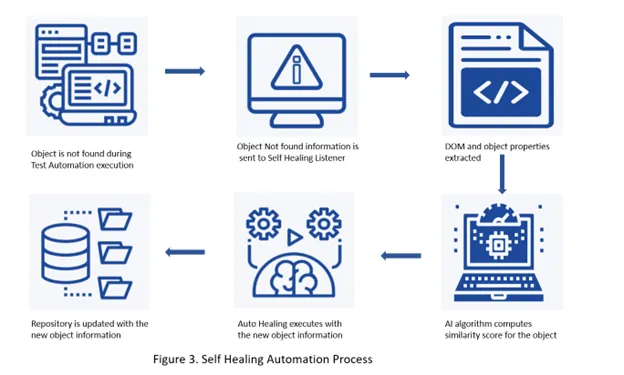
Self Healing Automation Process [5]
AI-Driven Bug Detection
AI-driven bug detection leverages machine learning algorithms to identify potential issues in UI that might be missed during manual testing. These systems analyze patterns from historical defects and user interaction data to predict where new bugs might occur.
🛠 Example: An e-commerce platform could implement AI tools that automatically flag unusual UI behaviours when product pages load differently across devices or browsers. This proactive approach not only catches obvious visual discrepancies but also identifies subtle functional errors like button state inconsistencies or form validation problems before they impact users.
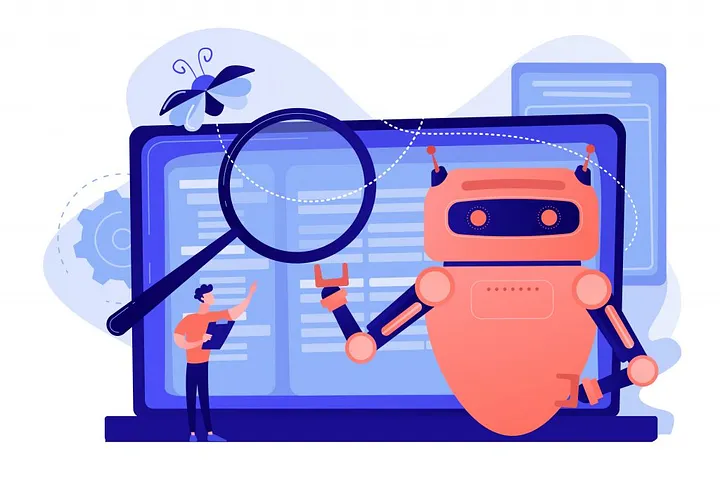
AI driven Bug Detection [6]
Accessibility Testing
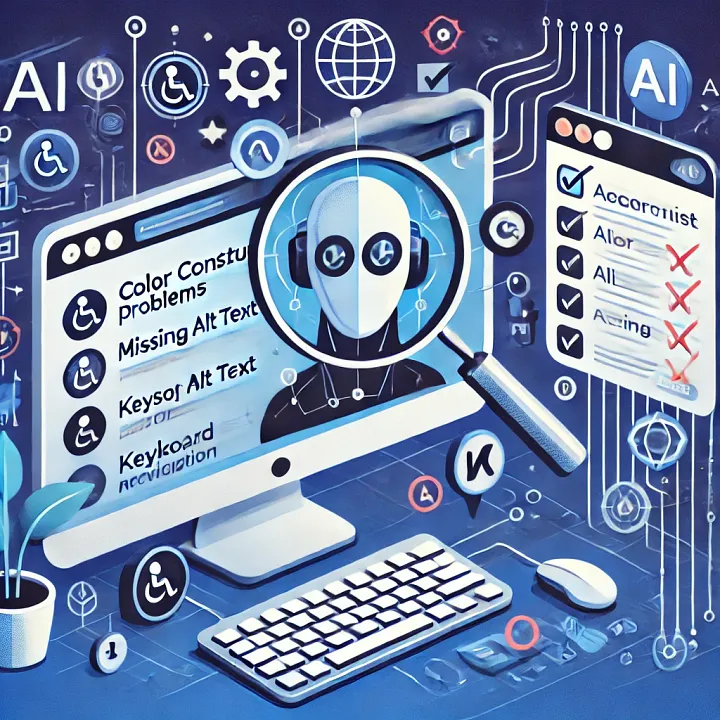
AI is capable of identifying accessibility issues across an application. AI tools can quickly identify and suggest improvements, ensuring UI elements comply with accessibility standards, thus enhancing usability for all users.
🛠 Example: A healthcare website utilizes AI-powered accessibility tools to scan its interface, identifying critical issues such as missing alt-text on images, inadequate colour contrast, and improper form labels. Resolving these accessibility barriers enables the website to comply with WCAG standards while significantly improving usability for visitors with visual impairments.
Localization Testing
AI-driven localization testing can ensure the consistency of UI components across various languages and regions. AI-driven machine translation systems, like Google Translate and Microsoft Translator, enable rapid and efficient translation of content across multiple languages, helping us detect any anomalies. AI systems can be further trained to understand cultural preferences for more appropriate localization.
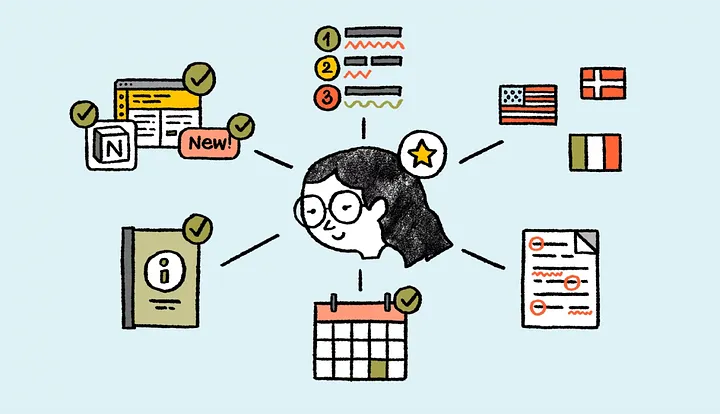
AI Driven Localization Testing [7]
A/B Testing
A/B testing compares different versions of a user interface to determine which design performs better with actual users. Leveraging AI, teams can generate multiple UI variations simultaneously and automatically assess user interactions with each version, revealing which design elements most effectively drive engagement and conversions.
AI algorithms can detect complex patterns within data, including those that might escape human observation. This deep analysis reveals underlying cause-and-effect relationships between variables, empowering more informed, data-driven decision-making. It can anticipate how changes in your campaigns will impact consumer behaviour and conversion rates.
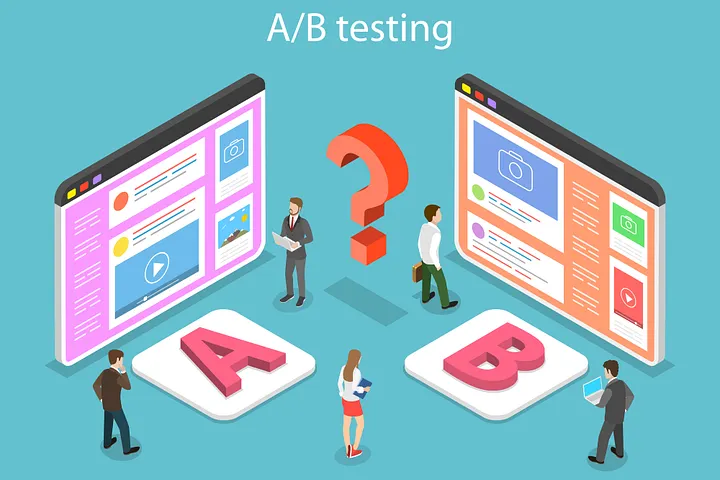
AI Driven A/B Testing [8]
AI-Powered Exploratory Testing
Exploratory testing is essential for finding unexpected bugs, but it requires skilled testers. AI can enhance this process by suggesting unpredictable user interactions and detecting UI glitches faster.
🛠 Example: The gaming industry can greatly benefit from AI-powered exploratory testing tools. A game typically consists of several characters and assets, each capable of diverse interactions. AI-driven tools can effectively simulate unpredictable user interactions, identifying potential glitches that might easily cause issues in the future.
Challenges and Considerations
Despite its advantages, integrating GenAI in UI testing comes with challenges:
False Positives: AI-based visual testing tools may flag minor pixel differences as issues.
Learning Curve: Teams must upskill to leverage AI-powered testing effectively.
Cost: Some AI-driven testing solutions can be expensive for startups.
The Verdict: GenAI, a Game Changer in UI Testing
The role of QA is evolving, and GenAI is at the forefront of this transformation. GenAI enables QA engineers to focus on strategic testing rather than repetitive work by automating tedious tasks, improving test accuracy, and predicting defects.
Companies like Microsoft and Google have seen significant efficiency gains — cutting test creation time by 70% and reducing testing cycles by 60%, respectively. [9] Embracing Generative AI is not just an option — it’s a necessity for staying competitive in today’s fast-paced development landscape.
So, if you’re a QA professional, now is the perfect time to explore how GenAI can take your UI testing to the next level.
Resources
https://testsigma.com/blog/generative-ai-in-software-testing/
https://tecknexus.com/generative-ai-to-drive-productivity-insights-from-ibm-and-capgemini-survey/8/
https://www.lambdatest.com/learning-hub/visual-regression-testing
https://sofy.ai/blog/automatic-test-case-generation-using-machine-learning/
https://www.stickyminds.com/article/continuous-testing-self-healing-why-it-important
https://assistgpt.io/trending/automated-bug-detection-and-code-generation-with-generative-ai/
https://www.linkedin.com/pulse/localization-testing-ai-opal-technology-solutions-tr0zc/
https://www.yourdigitalresource.com/post/ai-for-a-b-testing
https://www.testingtools.ai/blog/ai-test-agents-bridging-the-gap-between-speed-and-quality-in-devops/